My Pantry
January 20266 min readOngoing
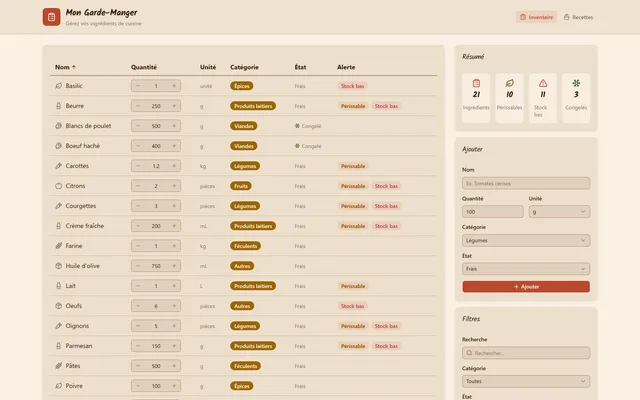
At first I just wanted a pantry within reach: a page where I see what I have in stock, add an ingredient, filter, and that’s it.
Today, My Pantry keeps track of my stock, fresh or frozen, and tells me when something runs low. It also holds my recipes, which I follow step by step on my phone. Above all, Claude can read the stock and write to it. The app is live at my-kitchen.kevin-dev.com, and anyone can sign up.
It took two versions to get there. I used the first one for several months, and using it is how I found what was getting in the way.
The first version, and its chore
I started it in January, in Next.js. The inventory and recipes lived in the browser’s localStorage, with no account. A JSON export and import served as a backup, and a button copied the inventory as text, to paste into an assistant. For the recipe display, I borrowed the way Claude shows recipes in its interface, adapted to my needs.
That button gave birth to a small skill for Claude. It took the pantry text and came up with recipes I could actually make with what I had in stock, as JSON, ready to import. It became my main way of filling the app. Here is the recipe library of that first version, with its import button, and on the right the unit converter, which is still there.
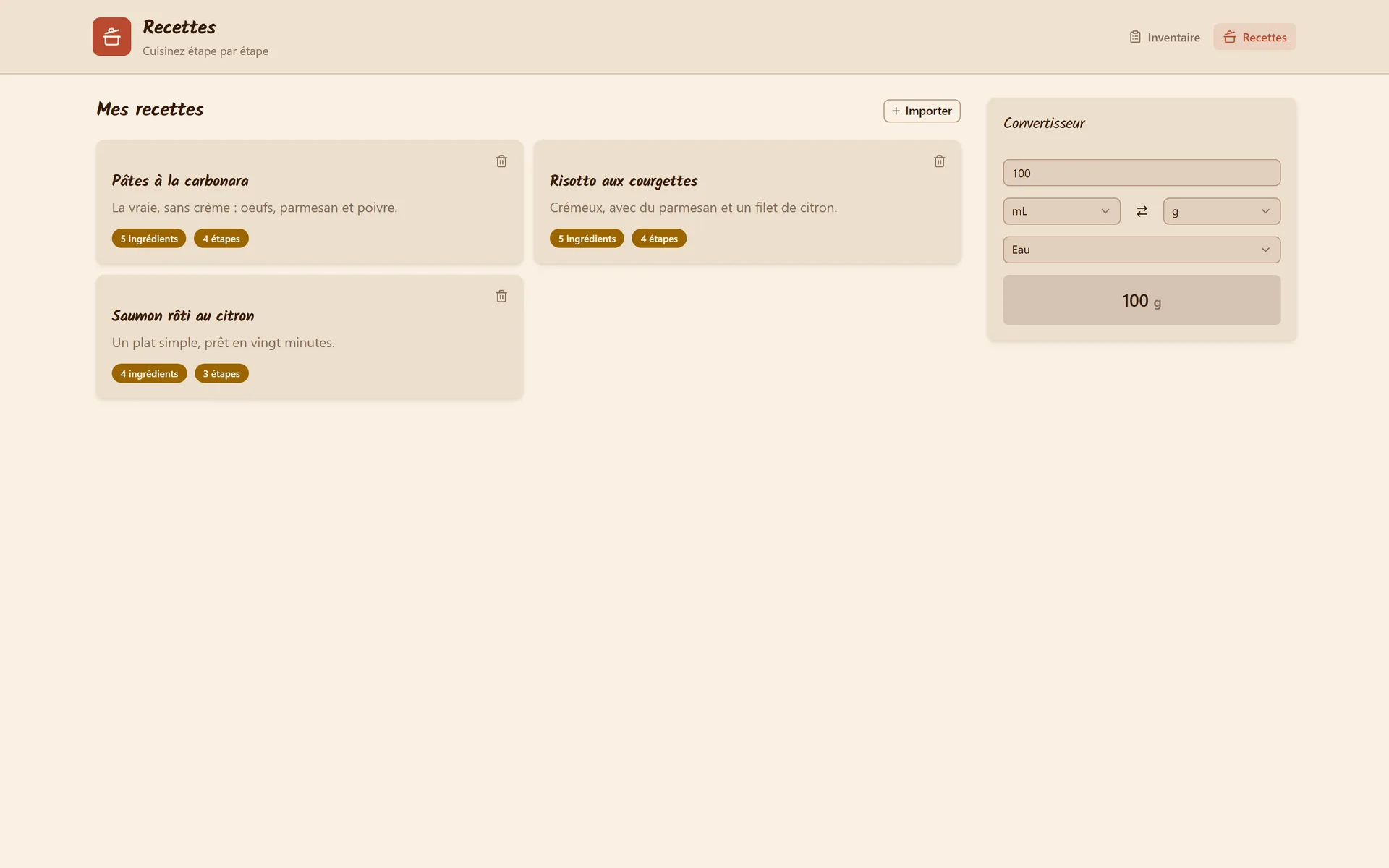
The loop was always the same. I copied the inventory, pasted it into Claude, got the JSON back and imported it. After cooking, I went back to the app to remove by hand what I had just used. Each step is short. Chained together several times a week, they ended up weighing more than the cooking itself. And of course, I did it less and less.
The assistant plugged into the pantry
In September, I rebuilt the app to get rid of that loop. The new version has an MCP server, the protocol that lets an assistant call precise tools instead of going through files. You add the app’s address as a connector in Claude, Claude Code or ChatGPT, sign in, and the assistant sees the pantry.
Each tool does one thing, like deducting in one go what a recipe used. The list is fixed, so I know exactly what the assistant can change.
The skill followed. It reads the stock itself, asks me what the app cannot know, like how many meals I need or when I am going to cook, then suggests a few options.
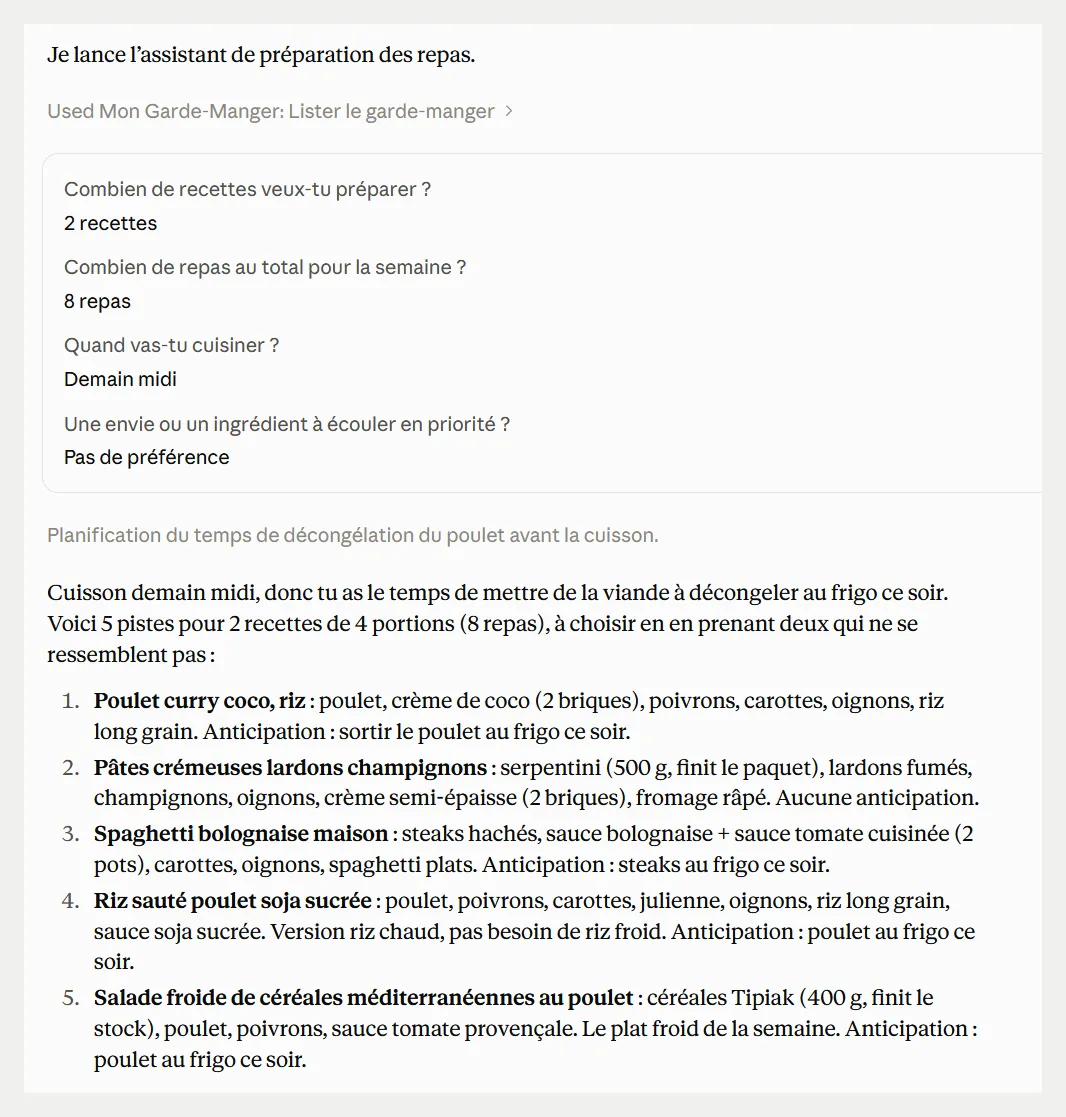
Once I have picked, it writes the recipes into my library. It then works out what they use, and asks me before taking it off the stock.
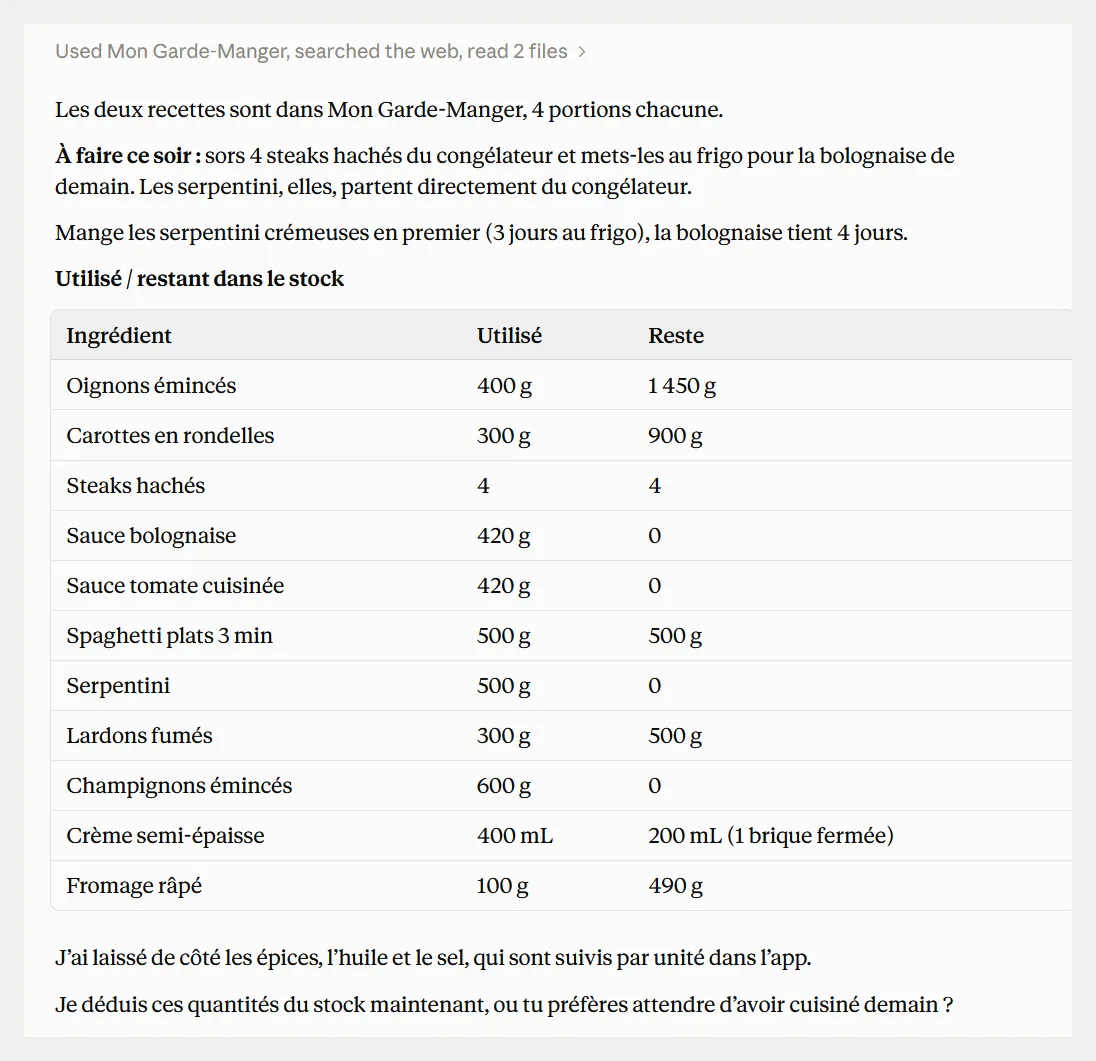
I no longer have anything to paste into it, or anything to import.
An account, then OAuth
For the assistant to know whose pantry it is, there had to be accounts. The data lives in a PostgreSQL database that only the app can reach, on my server, backed up every day. The first version stored nothing on my side. This one stores everything, and looking after it is my job.
At first, the assistant connected with a personal token, created from the account page, which it sent in a header. An OAuth server felt like a lot of work for nothing, since Claude was perfectly happy with that token. Less than a month later, Claude and ChatGPT stopped accepting a fixed header on their connectors. They look for an OAuth server starting from the MCP address, as the specification requires.
So the app now has its own, built with oidc-provider. The assistant opens a consent page in the browser, I accept, and from then on it only sees my account. The account page lists the connected assistants, and I can cut off each one. I removed personal tokens altogether, since no client sent them anymore.
Cooking mode, across two screens
This is the part of the first version I wanted to keep as it was. You pick a recipe on the PC, and follow it on the phone propped up on the counter. A six-digit code and a QR code show up, you scan, and the phone joins the session without needing an account. Both screens move together, one step at a time. When a step’s timer ends, it beeps and the phone vibrates. The screen stays on for the whole recipe, because your hands are busy. Here is the screen from the first version, on the guanciale step, with its five-minute timer and, at the bottom, the pasta one still running.
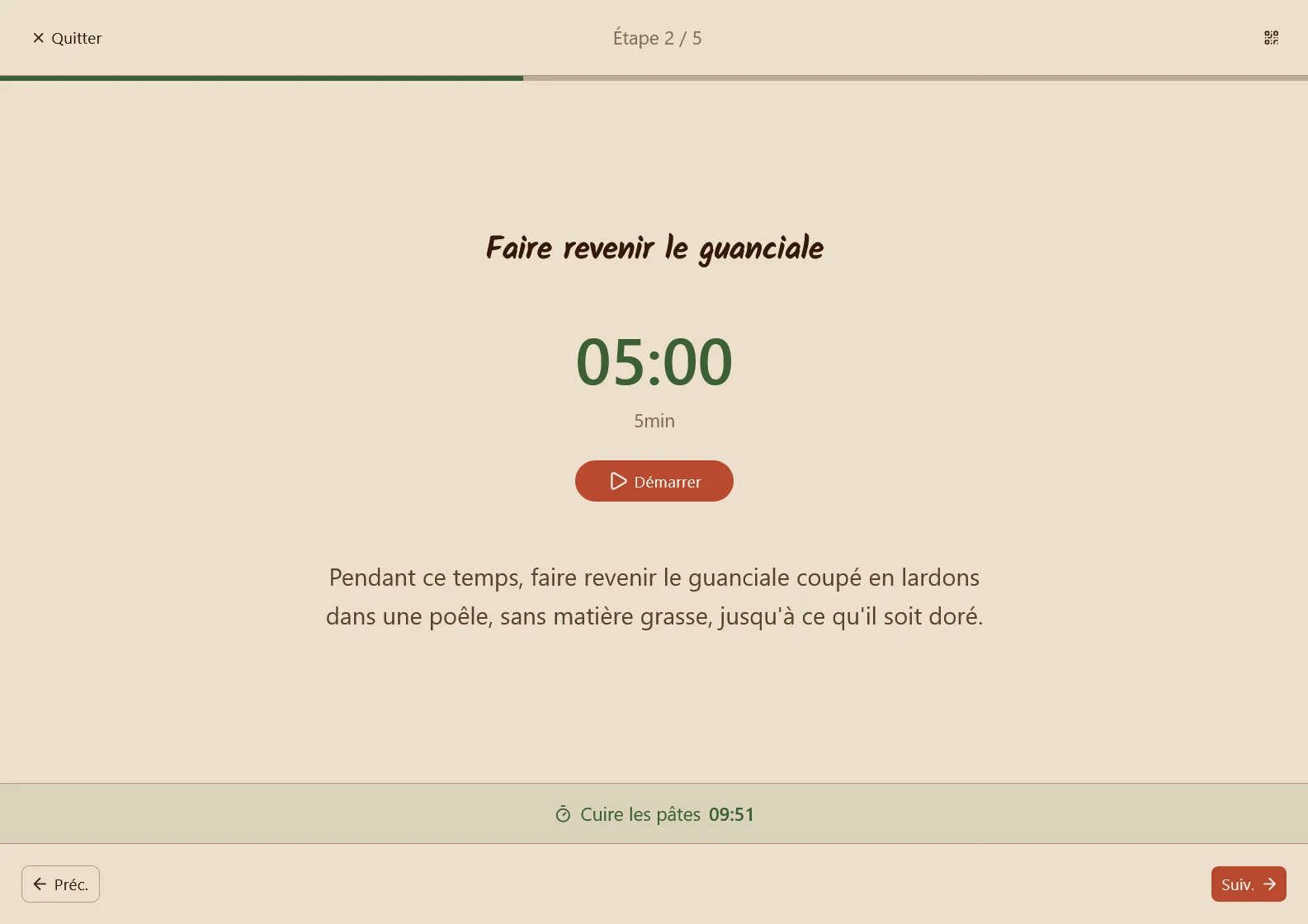
Since then, the step’s timer has its own bar, just above the buttons. On a long step, it scrolled away with the text, and you had to scroll back up to start it.
Under the hood, both devices ask the server for the session state twice a second. The catch was time. A phone can be several seconds off from the PC, so a timer only stores when it started, on the server’s clock, and each device works out the time left from there. The session, which used to live in a separate Redis, now sits in the same database as everything else. One less service to run.
One stack for my sites
I used the rewrite to align this project with kevin-dev.com, the site you are reading. Both run on AdonisJS, Inertia and React 19 with PostgreSQL, in a Docker image deployed by Dokploy, and with the same lint and format tools.
I maintain these sites alone, in my spare time. Two projects that look alike mean one way of doing things to know, and a fix that carries over from one to the other. The first version, in Next.js, worked fine, but it looked like none of my other projects.
The interface did not move, with the same “rustic kraft” theme and the same handwritten font, so it still feels more like a recipe card than a spreadsheet.
Working with Claude
Both versions were written with Claude Code, the first one fairly quickly. For the second, I first answered a long run of closed questions, about accounts, the database, MCP and deployment, until there was nothing left to decide. The code followed, in layers, each one deployable.
Where the project stands
The app is live, and its code is public on GitHub. Now that the assistant talks to the pantry directly, my inventory is up to date.